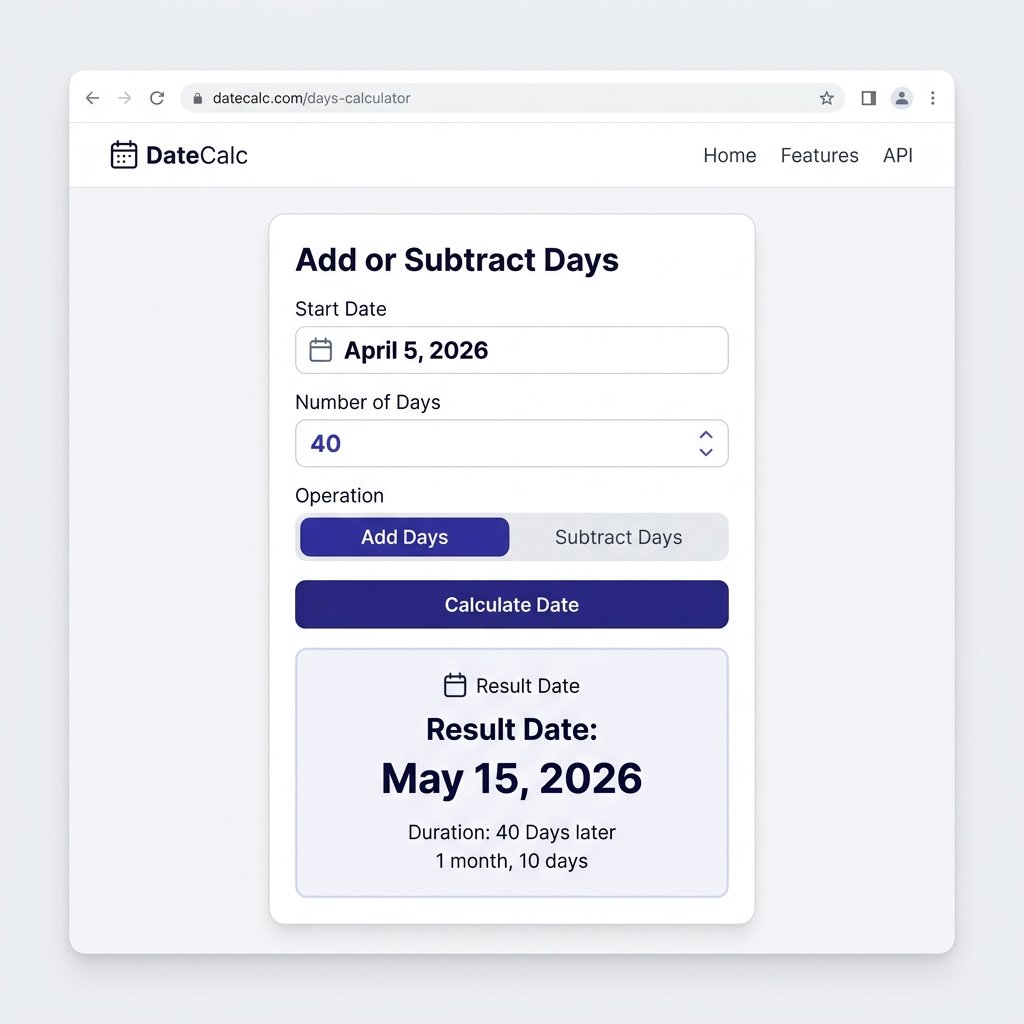
What Does Adding or Subtracting Days From a Date Mean?
Adding days moves a date forward on the calendar; subtracting days moves it backward. If today is July 17, 2026, adding 10 days lands on July 27, 2026, and subtracting 10 days lands on July 7, 2026. Same operation, opposite direction — mathematically it’s just a positive or negative number applied to the same date.
The arithmetic gets harder than it looks because months don’t all have the same length, and every four years February picks up an extra day. Add 45 days to March 10 by hand and you have to track exactly where March ends and April begins, then do the same for April into May. Miss a month boundary or a leap year and the answer is off by a day.
That’s why most people use a calculator, a spreadsheet formula, or a line of code rather than counting on a physical calendar — especially when the same calculation has to run across dozens or hundreds of rows in a dataset.
How to Add or Subtract Days From a Date Manually
The process is identical for both directions — you’re just moving through the calendar forward or backward.
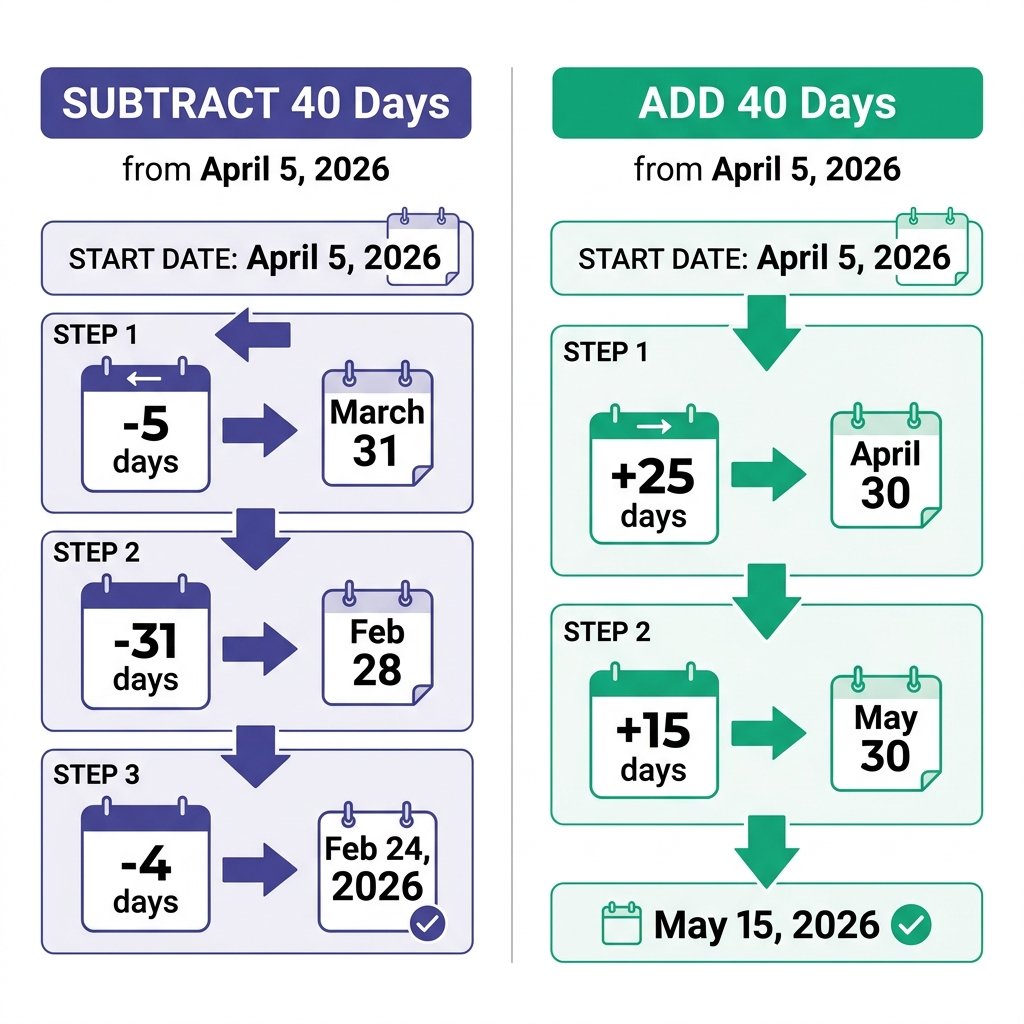
Subtracting: April 5, 2026 minus 40 days
- April 5 minus 5 days reaches March 31 (the last day of March), using 5 of the 40 days. 35 remain.
- March has 31 days — subtract those, landing on February 28, 2026 (not a leap year). 4 days remain.
- February 28 minus 4 days lands on February 24, 2026.
Adding: April 5, 2026 plus 40 days
- April has 30 days, so April 5 plus 25 days reaches April 30, using 25 of the 40 days. 15 remain.
- May 1 plus 14 more days lands on May 15, 2026.
Three things trip people up either direction:
- Leap years. 2024 and 2028 have a February 29; 2025, 2026, and 2027 don’t. A year is a leap year if it’s divisible by 4, except century years, which must also be divisible by 400.
- Month-end edge cases. Moving from the 31st of a month into a 30-day or 28-day month, or vice versa, needs care since there’s no exact equivalent day.
- Time zones, if you’re working with timestamps rather than plain dates. Adding or subtracting days from a full timestamp near midnight can shift across a day boundary depending on the time zone in use.
Business Days vs. Calendar Days
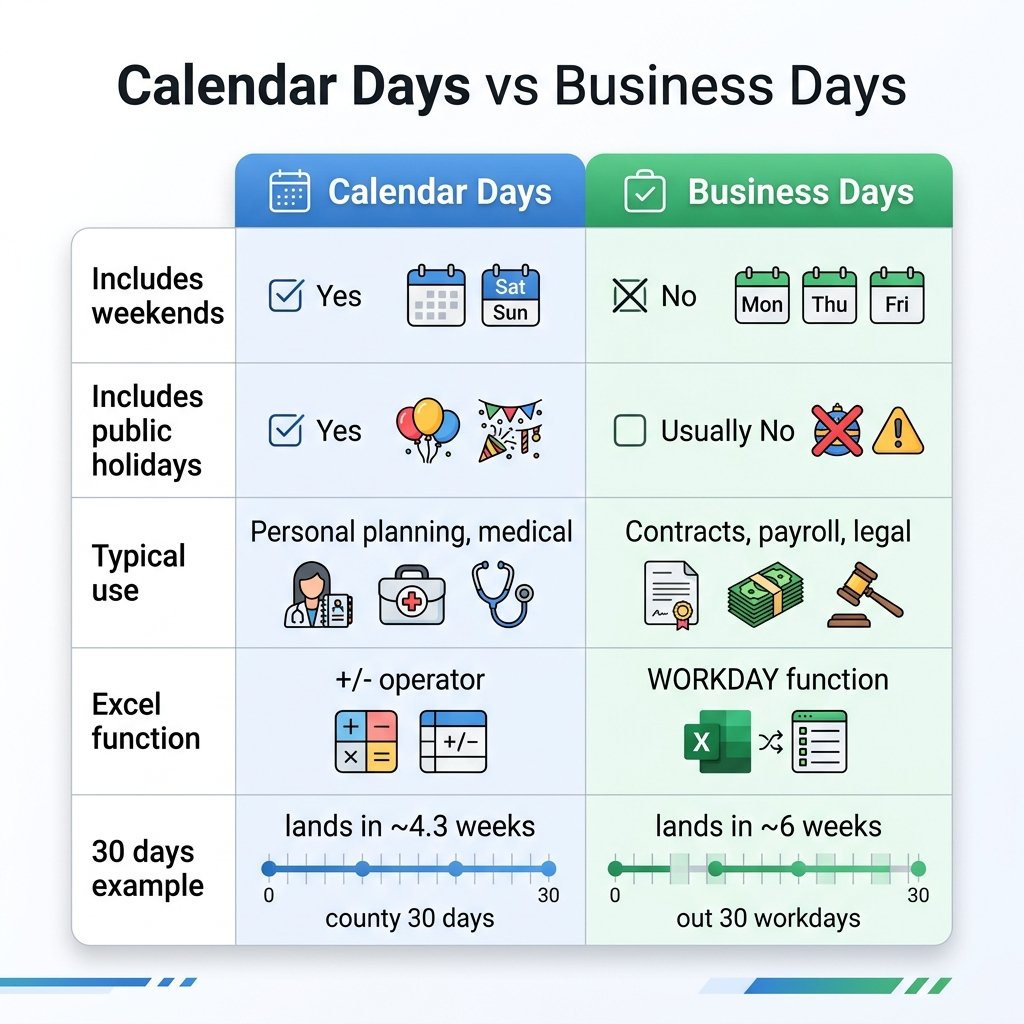
Not every “add or subtract days” question is about the calendar. A lot of real deadlines — notice periods, project timelines, payment terms — are counted in business days, which skip weekends and sometimes public holidays.
| Calendar Days | Business Days | |
|---|---|---|
| Includes weekends | Yes | No |
| Includes public holidays | Yes | Usually excluded |
| Typical use | Personal planning, medical timelines | Contracts, payroll, legal notice periods |
| Excel function | Simple +/- | WORKDAY (add/subtract) |
If a contract says “30 days’ notice,” confirm whether that means calendar days or business days before calculating either direction — the two can land 8–10 days apart depending on how many weekends fall in the range.
Add or Subtract Days in Excel
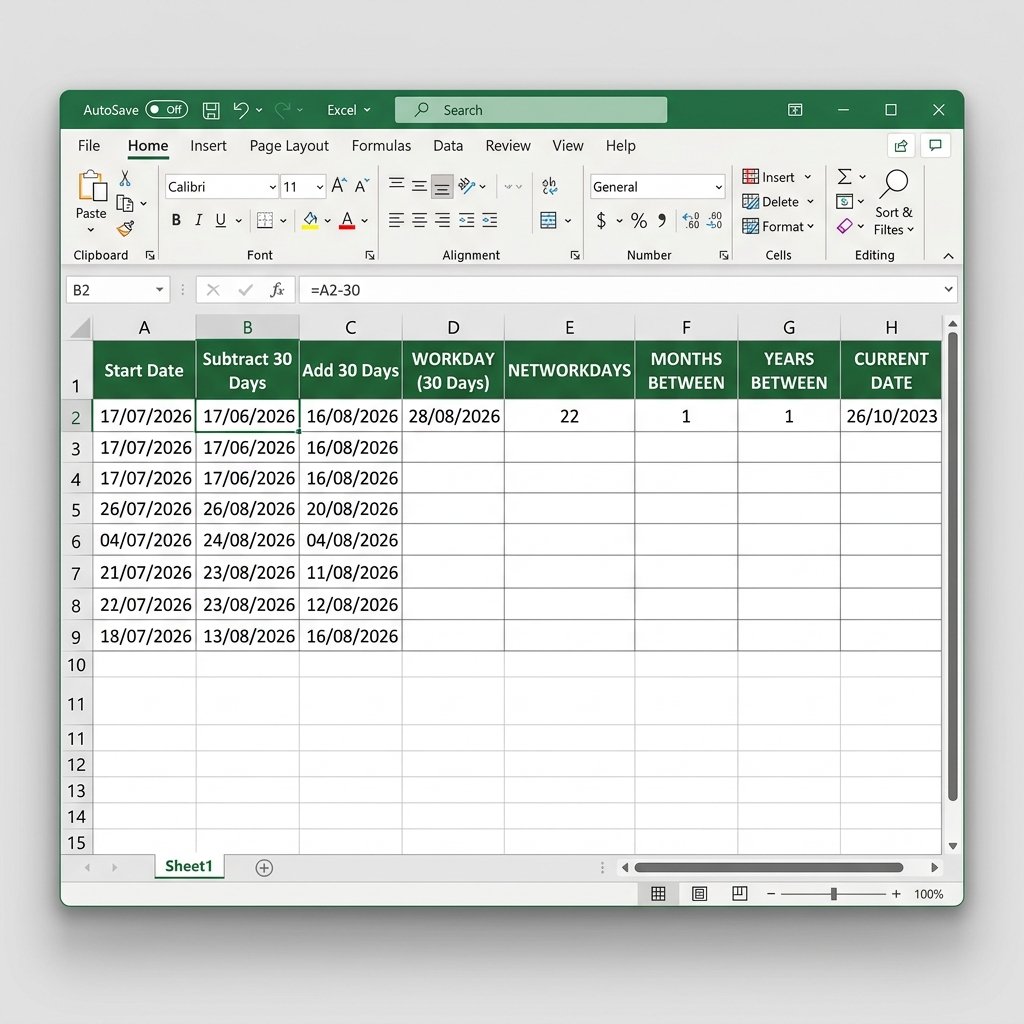
Excel stores every date as a serial number — January 1, 1900 is day 1 — which is what makes date arithmetic possible with simple + and – operators.
Both subtract 30 days from, or add 30 days to, the date in cell A2. If the result displays as a raw number instead of a date, select the cell, press Ctrl+1, and set the format to Date.
Add a third argument to exclude public holidays: =WORKDAY(A2,-30,Holidays).
Add or Subtract Days in Google Sheets
Google Sheets uses the same serial-number system as Excel, so the syntax is nearly identical.
Format the result as a date via Format → Number → Date if it displays as a raw number.
Add or Subtract Days in JavaScript
Native JavaScript Date objects handle both directions with one function — a positive or negative number:
Add or Subtract Days in Python
Python’s datetime module uses timedelta for both directions:
With pandas, useful for shifting an entire column of a DataFrame:
Add or Subtract Days in SQL
Syntax varies by database engine:
Across every engine, a negative number (or -INTERVAL) subtracts and a positive one adds — the function name and argument order are what changes.
Add or Subtract Days in C#
AddDays() handles both directions — a negative number subtracts, a positive number adds. There is no separate SubtractDays() method.
Other Languages
- PHP (strtotime):
date("Y-m-d", strtotime("2026-07-17 -30 days"))or"+30 days"to add - PowerShell:
(Get-Date "2026-07-17").AddDays(-30)or.AddDays(30) - Carbon (PHP library):
Carbon::parse("2026-07-17")->subDays(30)or->addDays(30)
The “one method, positive or negative number” pattern shows up across almost every mainstream language and library.
Common Mistakes When Adding or Subtracting Days
- Forgetting leap years in manual calculations. A miscount of even one day compounds if you’re chaining multiple date shifts.
- Confusing calendar days with business days. A “14 days” notice period reads very differently if it’s meant to exclude weekends.
- Mixing up date-only and date-time values in code. Shifting a full timestamp near midnight can land on the wrong calendar day if time zones aren’t handled consistently.
- Excel/Sheets showing a serial number instead of a date. This is a formatting issue, not a formula error — reformat the cell rather than rewriting the formula.
- Using the wrong SQL function for the database engine. DATEADD works in SQL Server but not MySQL — copying a formula between engines without checking is a common source of syntax errors.
- Sign errors when subtracting. Typing + instead of – (or a positive instead of negative interval) is the single most common mistake across every platform covered here.
Real-World Uses
- Contracts and legal notices: counting backward from a deadline to find the last day notice can be served, or counting forward from a signing date to set a renewal date.
- Payroll and HR: calculating probation-period end dates by adding days to a hire date, or reminder dates by subtracting days from a review date.
- Medical timelines: estimating a conception date by subtracting roughly 280 days from a due date, or scheduling a follow-up by adding a set number of days to a procedure date.
- Project management: working backward from a launch date to set milestone deadlines, or forward from a kickoff date to a delivery date.
- Finance: subtracting days from an invoice date for early-payment windows, or adding days for a payment-due date.
- Personal planning: working out when to mail a card so it arrives before a birthday (subtract), or when a subscription renews (add).